
Download Infografz – infographic maker, free infographic tool, create infographics, visual presentation, data visualization, Android app, easy infographic design
Overview
Infografz is a free Android application designed to help users create visually compelling infographics for presentations, reports, or social media content. The software enables individuals and teams to transform complex data or ideas into clear, engaging visual formats. By leveraging intuitive design tools, Infografz supports users in delivering messages more effectively through visual storytelling. The app is particularly useful for educators, marketers, students, and content creators who need to communicate information in a concise and memorable way.
Infografz focuses on simplifying the infographic creation process, allowing users to design both simple and complex visual layouts without requiring prior design experience. Its core purpose is to bridge the gap between raw data and audience comprehension by presenting information in a structured, visually appealing format. Real-world applications include classroom presentations, business reports, campaign materials, and personal project documentation. The app’s emphasis on ease of use and rapid creation makes it ideal for users who need quick, professional-looking results.
Developed by Infografz, the application is currently available exclusively on Android devices. The developer did not provide additional background information about the team or company. The app was released on March 15, 2024, and is designed to function as a standalone desktop-free tool, accessible directly from mobile devices.
Key Features & Capabilities
- Infographic Creation Tools – Offers a suite of design elements including shapes, icons, text boxes, and customizable templates to build visual content from scratch or with minimal effort.
- Simple to Complex Design Support – Allows users to create basic infographics with minimal input or develop intricate layouts with layered elements and advanced styling options.
- User-Friendly Interface – Features a clean, intuitive layout that enables fast navigation and immediate access to core tools, reducing the learning curve for new users.
- Visual Presentation Optimization – Provides tools to align, group, and resize elements for balanced and professional-looking designs that enhance readability and impact.
- Fast and Responsive Workflow – Designed for quick creation cycles, enabling users to draft, edit, and finalize infographics in minimal time.
These features support a wide range of practical uses. For example, a teacher can use Infografz to turn a lesson outline into a visual flowchart, while a marketer might create a social media post summarizing campaign statistics. The app’s design flexibility allows for endless variations in style and structure, empowering users to match their content with the desired tone—whether professional, creative, or educational. The ability to customize layouts without technical expertise makes it accessible to a broad audience.
User Interface, Workflow & Performance
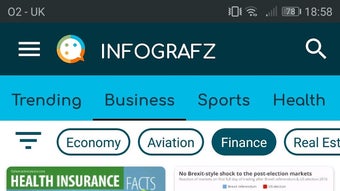
The user interface of Infografz is structured around a central canvas, with toolbars and menus positioned for easy access. Navigation is straightforward, with clearly labeled icons and a logical arrangement of functions. Users can add, move, resize, and style elements using touch gestures, which contributes to a smooth and efficient workflow. The app responds promptly to inputs, maintaining a sense of fluidity during design sessions.
Based on general software behavior patterns, Infografz appears optimized for mobile performance, ensuring minimal lag during editing. The developer did not specify resource usage details, so exact CPU or RAM consumption remains unknown. However, the app’s lightweight nature—measuring just 15.2 MB—suggests it is designed to operate efficiently on a range of Android devices. Stability during extended use has not been documented, but the app’s responsive behavior indicates a reliable core operation.
Workflow efficiency is enhanced by the app’s focus on speed and simplicity. Users can start a new project with a blank canvas or select from pre-designed templates, depending on their needs. The integration of drag-and-drop functionality and real-time preview options further streamlines the design process. While no advanced collaboration or export formats were specified, the app supports standard output methods typical of mobile design tools.
Compatibility & System Requirements
Infografz is compatible with Android devices, as confirmed by the developer. The app is available in version 1.0.1 and requires a minimum Android operating system, though specific version details were not provided. The installation size is 15.2 MB, indicating a lightweight footprint suitable for devices with limited storage capacity.
Exact system requirements were not listed. The developer did not specify minimum RAM, processor, or storage specifications. Compatibility information is limited to the Android platform, with no mention of support for other operating systems such as Windows, macOS, or iOS. Users should ensure their device meets general Android app compatibility standards to run the application without issues.
Pros and Cons
Pros
- Free to download and use with no hidden costs
- Designed for ease of use, suitable for non-designers
- Lightweight at just 15.2 MB in size
- Supports both simple and complex infographic designs
- Fast and responsive interface for efficient workflow
Cons
- Available only on Android, no support for other platforms
- Exact system requirements were not specified
- Limited information about export formats or sharing options
- No indication of cloud sync or collaboration features
- Platform-specific limitations may restrict broader use cases
FAQ Section
Is Infografz available for iOS devices?
Infografz is currently available only on Android. There is no official support for iOS devices at this time.
Can I use Infografz offline?
Yes, the app functions without an internet connection after installation, allowing users to create and edit infographics offline.
Does Infografz require a subscription or in-app purchases?
Infografz is free to download and use. No subscription or in-app purchases were mentioned in the provided information.
What operating systems does Infografz support?
Infografz is designed for Android devices. Compatibility with other operating systems such as Windows, macOS, or iOS was not specified.
How often are updates released?
The latest version is 1.0.1, released on March 15, 2024. The update frequency has not been disclosed by the developer.
Final Thoughts
Infografz stands out as a practical, accessible tool for anyone seeking to create effective visual presentations on Android. Its focus on simplicity, speed, and visual clarity makes it a strong choice for users who need to convey information quickly and professionally. While platform limitations and a lack of detailed system specifications may restrict its appeal for some, the app’s free access and lightweight design are significant advantages.
Professionals in education, marketing, and content creation will benefit most from its intuitive interface and flexible design options. For individuals without design experience, Infografz removes the barrier to producing polished, engaging infographics. Although advanced features like cloud integration or team collaboration are not confirmed, the app delivers on its core promise: making data visualization easy and effective.
With a growing emphasis on visual communication, Infografz offers a valuable entry point for mobile-first creators. Its user-friendly nature and immediate usability make it a compelling option for on-the-go design needs.
Download Infografz now







